
Drag me

Drag me
01 — Overview
Wreno is a B2B SaaS vendor management platform built for the real estate industry. Property managers, owners, and operators use Wreno to find, vet, onboard, and manage third-party vendors for everything from routine maintenance to large-scale renovation projects.
The platform serves a network of over 400,000 vendors across the United States, handling the entire lifecycle of vendor relationships: compliance credentialing (with AI-powered verification of W9s, COIs, and trade licenses in as little as 2 minutes), scope of work creation, RFP distribution, bid comparison, contract management, and project tracking.
I joined Wreno as a Product Designer and was responsible for designing both the core SaaS platform and the AI CoPilot: a conversational agent that reimagines how property managers interact with the entire vendor management workflow.
02 — The Problem
Property managers managing hundreds of properties faced a painful daily reality: when a resident submits a work order, the clock starts ticking. But finding the right vendor meant scrolling through search engines, calling individual contractors, chasing down insurance certificates, and gathering quotes into disconnected spreadsheets.
There was no centralized way to compare pricing against market rates, verify vendor credentials instantly, or make confident decisions under time pressure. Every delayed maintenance job eroded resident satisfaction and increased holding costs.
Fragmented Workflows
Manual, Repetitive Processes
No Portfolio-Level Visibility
Decision Fatigue in Bid Evaluation
Key Insight
03 — The IDEA
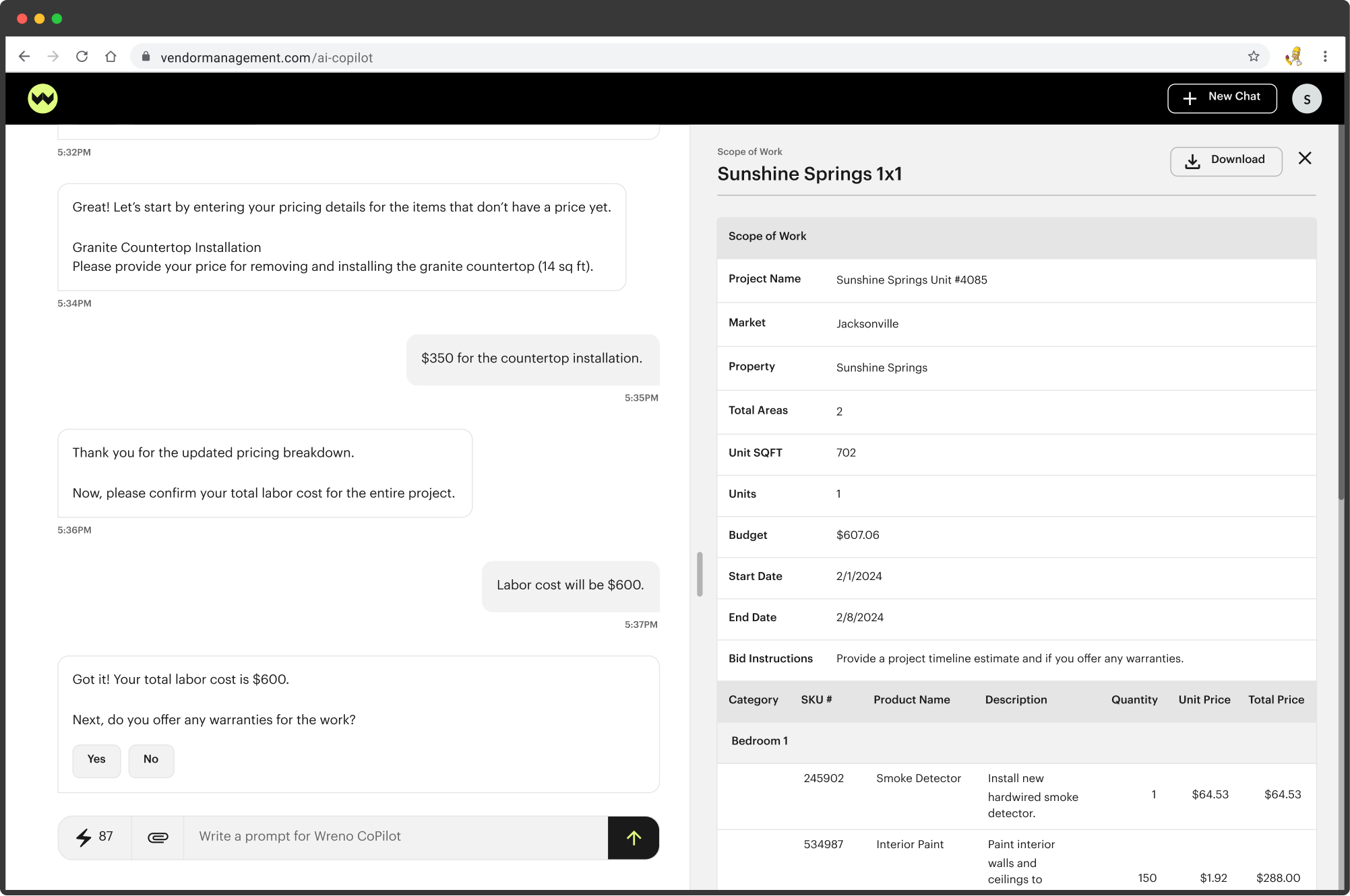
The Wreno CoPilot is an AI-powered conversational agent that allows property managers to accomplish their entire vendor management workflow through natural language and structured UI components embedded within a chat interface.
Instead of navigating between separate screens for scope creation, vendor search, bid management, project tracking, and budgeting, the CoPilot guides users through each workflow conversationally. It asks one question at a time, confirms changes in real time, and surfaces structured data exactly when the user needs it: tables, comparisons, document previews, vendor cards, and analytics.
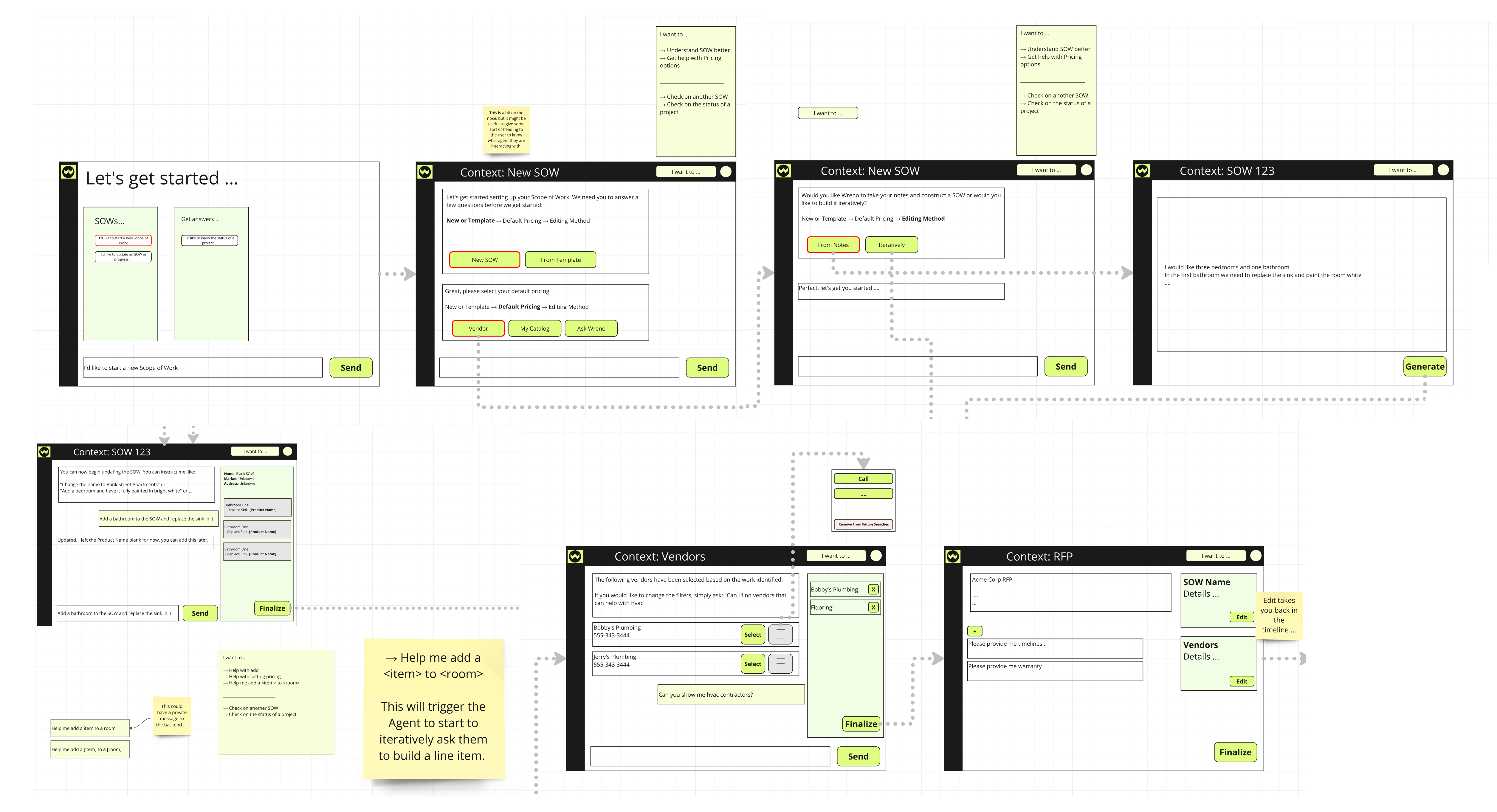
The core design challenge was finding the right balance between conversational flexibility (letting users type anything) and guided interaction (providing structured choices when decisions are discrete). Too much free text creates uncertainty about what the system can do; too many buttons defeats the purpose of a conversational interface.
04 — Interaction Patterns
Designing an AI chat agent isn't just about the words. It's about knowing when to use buttons versus free text, when to show a table versus a single answer, and when to switch from chat-only to a split-panel layout. These patterns formed the backbone of every CoPilot interaction.
05 — In Action
Here's a compressed view of how the SOW creation flow unfolds in practice, from the first template selection through vendor award:
06 — Prototype
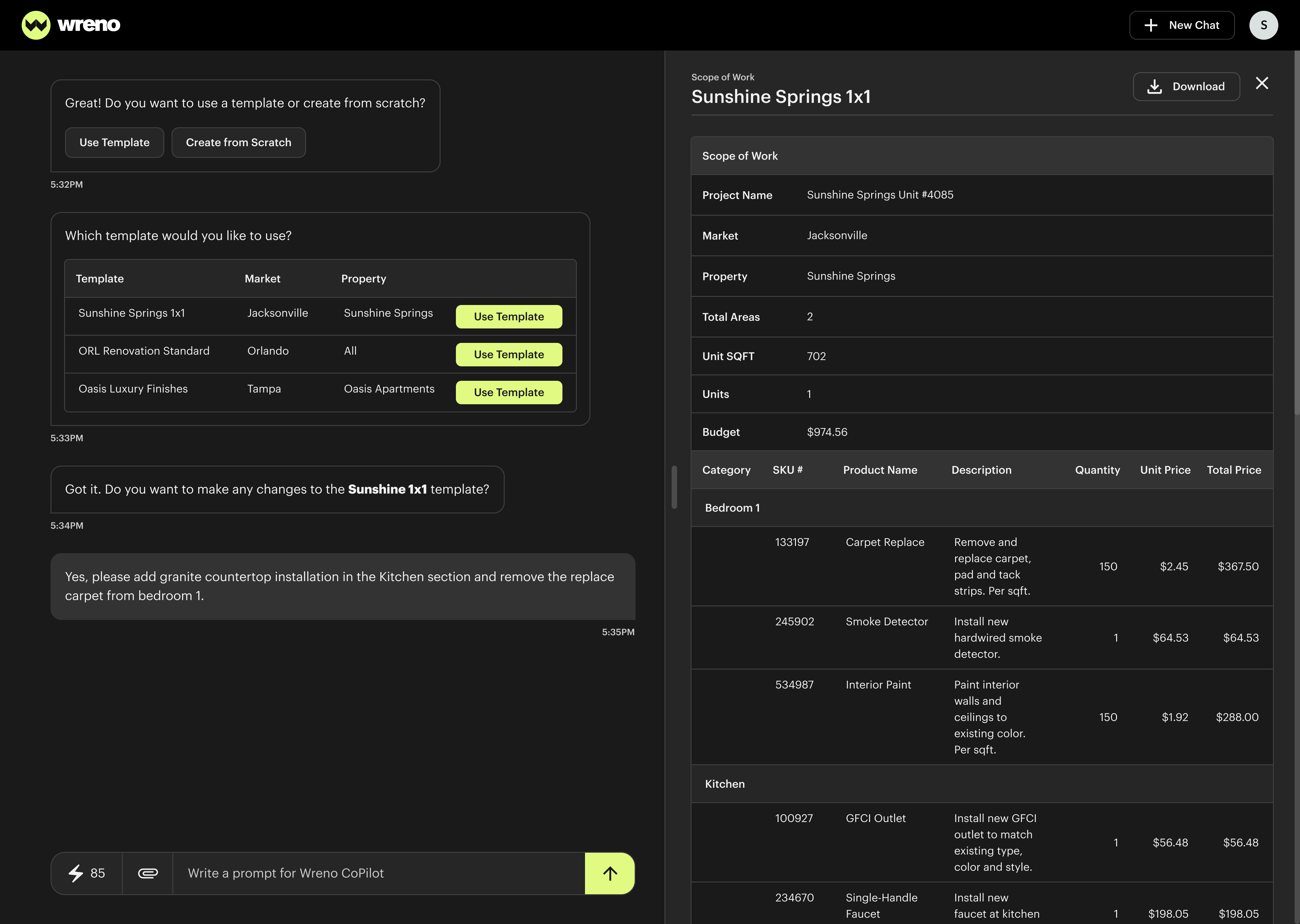
This flow verifies that a Statement of Work (SOW) can be generated from a template and that all project data loads correctly.
06 — Prototype
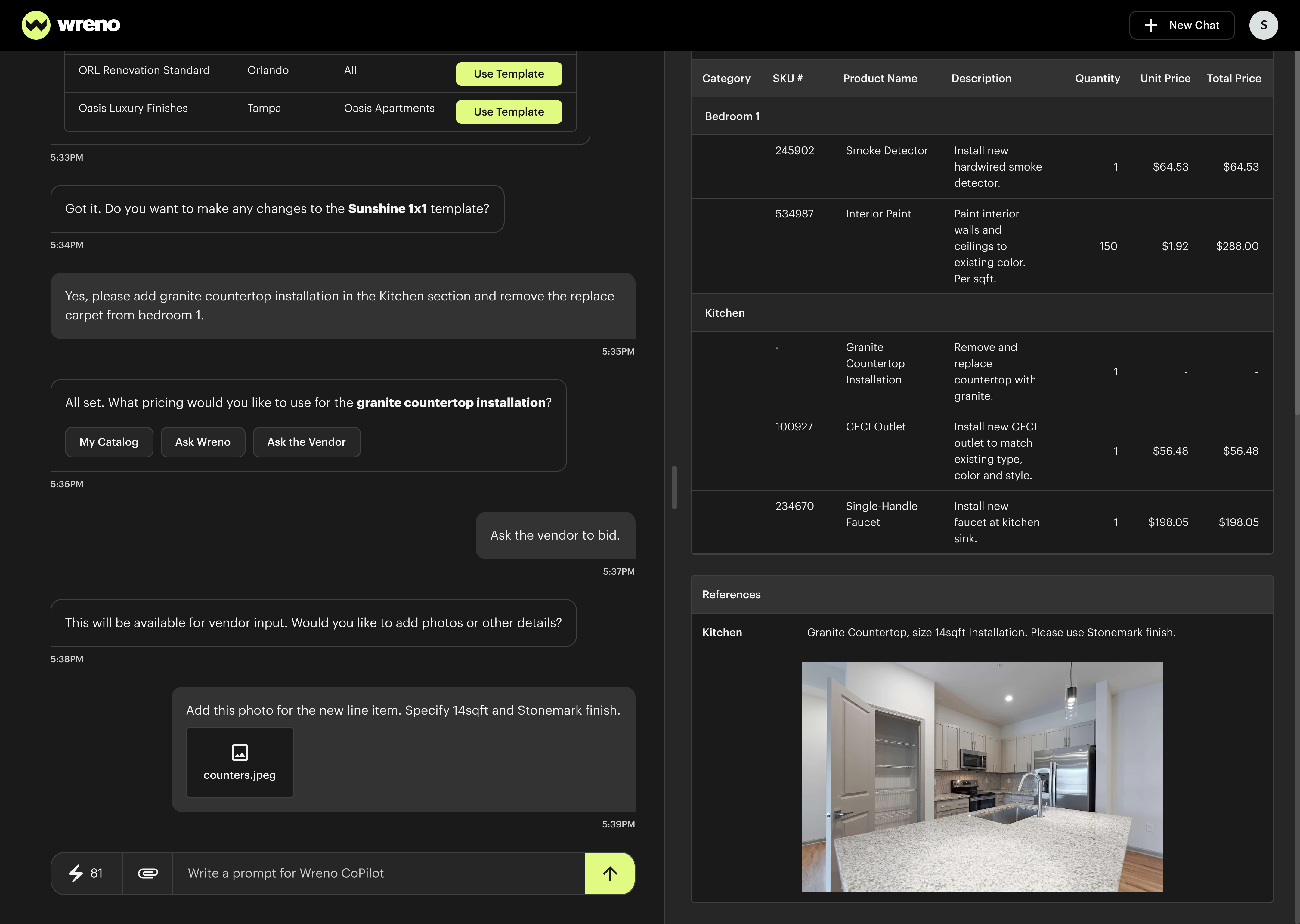
This flow tests editing the SOW using natural language in chat and verifying updates in the table.
06 — Prototype
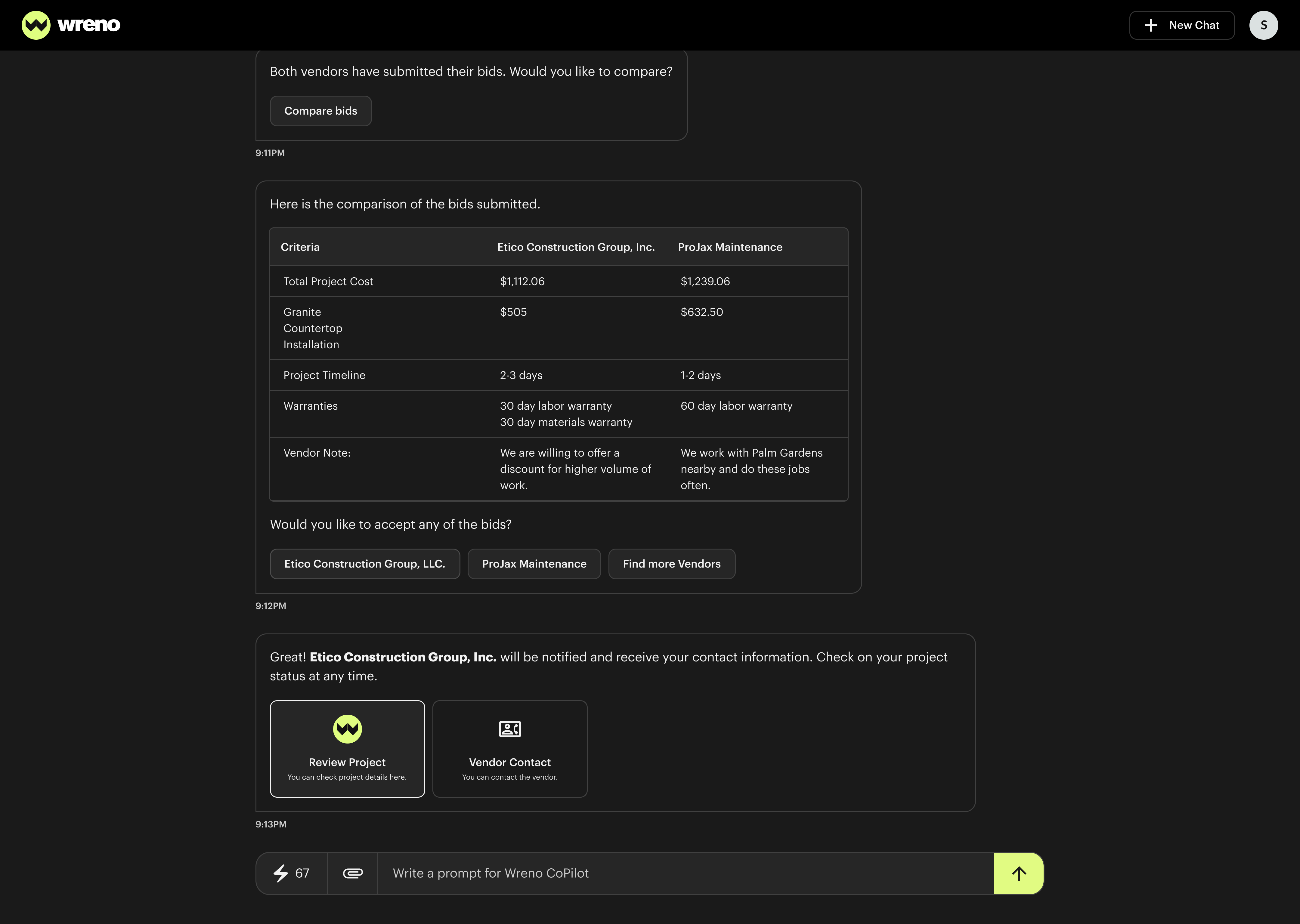
This flow validates comparing vendor bids and awarding the project.
07 — Lessons Learned
A design system is only as good as its adoption. While working on the platform, I needed to make the system effortless to use correctly and hard to use incorrectly.
Conversation Is Not Always the Answer
Trust Requires Transparency
Design the Boundaries, Not Just the Happy Path
Build a Contribution Model Early